01
Required to start
Your correction notice, plan check comments, or reviewer letter.
PERMIT RESUBMISSION SUPPORT
Send us your correction notice and project details. We’ll help you understand the reviewer comments, identify what needs attention, and prepare for your next submission.
No obligation. Initial project review request.
Built for active building permit correction and resubmission cases.
PLAN CHECK REVIEW
18 Reviewer Comments
Comment #7
NEEDS ATTENTIONReviewer Comment
Provide exit access travel distance and demonstrate compliance.
What to Review
Every additional round of plan review can affect design schedules, consultant coordination, financing, construction timing, and project costs.
Select a card to see what may be driving the issue and how a structured review can help.
START WITH WHAT YOU HAVE
The correction notice is the starting point. Add the project documents that make a particular comment easier to understand, and tell us which part of the resubmission is holding up the team.
See the request form01
Your correction notice, plan check comments, or reviewer letter.
02
Relevant plan pages, prior response letters, calculations, or product information when they help explain a comment.
03
Jurisdiction, project type, current stage, and the part of the correction cycle that is creating the most uncertainty.
A USEFUL WORKING OUTPUT
The goal is not to replace your architect, engineer, or reviewer. It is to make the feedback easier to understand, assign, and carry into a coordinated response.
A numbered, plain-language view of the reviewer comments so the team can see what was asked and where it may relate to the project.
A practical way to distinguish high-attention comments, administrative requests, and issues that may affect multiple drawings or disciplines.
A working list of documents, sheets, questions, and project-team follow-ups to use while preparing a response and resubmission.
Every project is different. The example below shows the kind of organized context a review can surface; it is not a determination of code compliance.
View exampleHOW IT WORKS
The review is organized around the feedback already issued for your project. Each comment becomes a trackable issue with context, likely dependencies, and a practical next step.
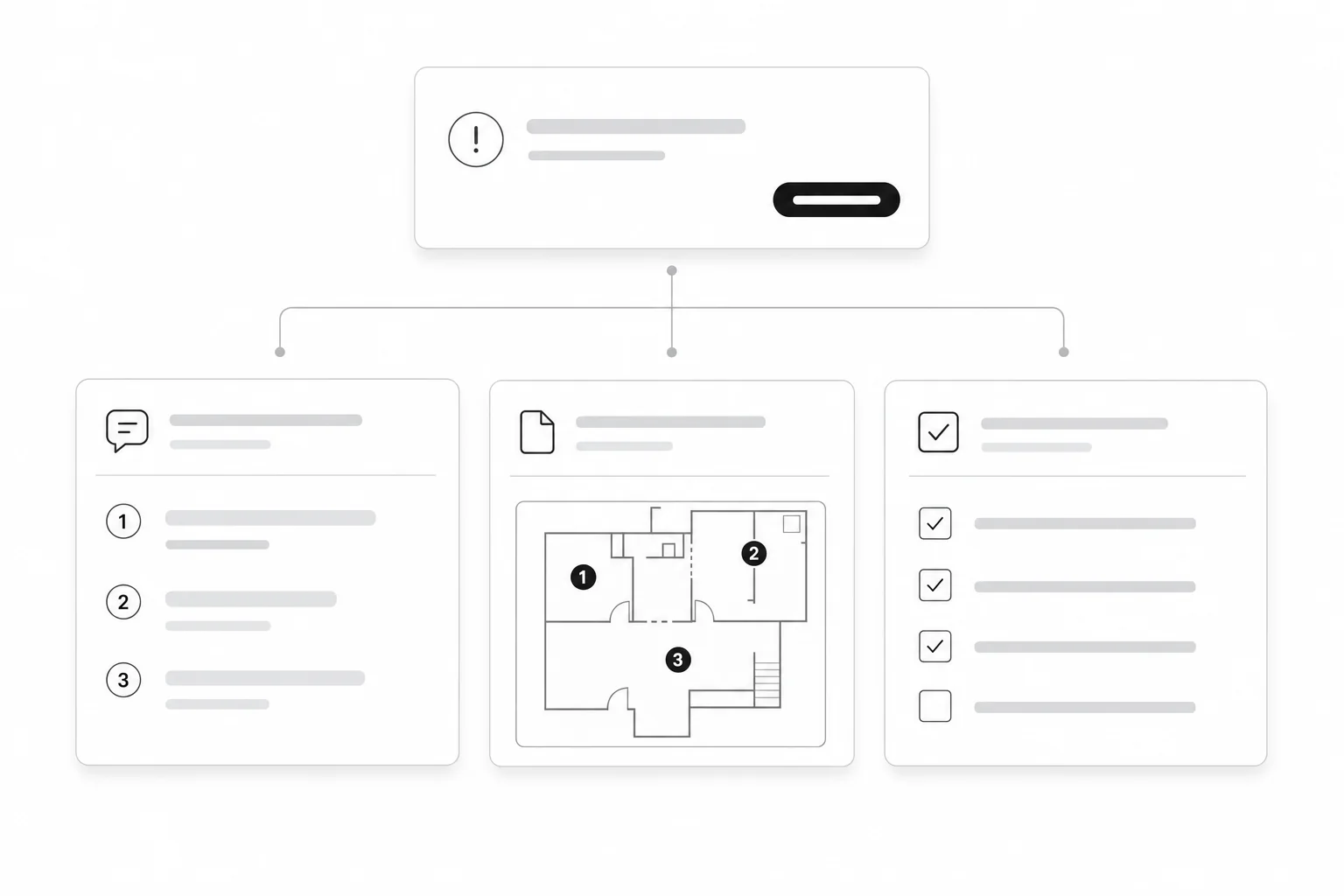
Connect the comment to the affected drawing or document.
Explain the request and identify open questions.
Turn the issue into an assignable response task.
Start with the document issued by the jurisdiction. Add only the project context that helps explain the comments.
We separate each comment, connect it to likely documents or disciplines, and surface dependencies that can affect the response.
Use the organized output to assign work, verify supporting material, and prepare a clearer response package.
Start with a PDF, email, text file, or image of the comments.
CLEAR ROLES, FEWER SURPRISES
Knowing what this review can and cannot do helps set up a more productive resubmission conversation.
Reviewer language, potential affected documents, questions to resolve, and a coordinated next-step list.
Design changes, calculations, professional seals, code interpretations for the project, and the final response strategy.
Whether the resubmission satisfies its adopted requirements and whether the permit is approved.
INTERACTIVE EXAMPLE REVIEW
Select a sample comment to see the reviewer language, likely affected documents, suggested owner, and response outline in one place.
SAMPLE PROJECT · TENANT IMPROVEMENT
Reviewer comments
COMMENT 02
High attentionJurisdiction comment
“Revise the code analysis to identify the proposed occupancy classification and mixed-use provisions.”
What it appears to mean
The project summary and code analysis may not clearly show how each use was classified or how mixed occupancies were evaluated.
Likely affected documents
Response checklist
Not startedCOMMENT 07
Needs attentionJurisdiction comment
“Provide exit access travel distance and demonstrate compliance with applicable requirements.”
What it appears to mean
The reviewer appears to be asking for a dimensioned path from the occupied area to the required exit, coordinated with the life-safety information.
Likely affected documents
Response checklist
Not startedCOMMENT 11
AdministrativeJurisdiction comment
“Provide completed energy compliance documentation with all required signatures and registration information.”
What it appears to mean
The technical package may be substantially complete, but the reviewer needs the final registered and signed forms included in the resubmission.
Likely affected documents
Response checklist
Not startedWHY CODEBOOK
CodeBook is building tools around local building requirements and permitting workflows. This pilot focuses on one specific problem: helping project teams make sense of plan check comments before resubmission.
Project information submitted for review is not intended for public publishing.
Reviewer comments should remain clearly distinguishable from explanations or recommendations.
Final interpretation, design decisions, and permit approval remain with the applicable jurisdiction and licensed professionals involved in the project.
It is an organized review of the corrections or comments issued by a building department or other reviewing agency, intended to help you understand what needs attention before resubmission.
No. CodeBook cannot guarantee approval. Final approval decisions belong to the reviewing jurisdiction.
No. The service is intended to help organize and understand reviewer feedback. Project-specific architectural, engineering, or legal decisions should be handled by the appropriate licensed professional.
Start with the correction notice or plan check comments. Relevant plan pages, a prior response letter, calculations, or product information can be helpful when they clarify a specific issue.
No. This is not a public permit-status lookup. It is for project teams that already have plan check comments or a correction notice and need help organizing the resubmission work.
This initial pilot is a technology-assisted service and may include manual review. The focus is on producing a useful result rather than presenting the process as fully automated.
Start by showing us what the reviewer asked you to correct.
Review My Plan Check CommentsDesigned for active permit correction and resubmission cases.